


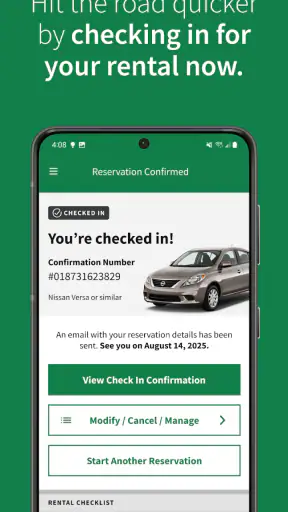
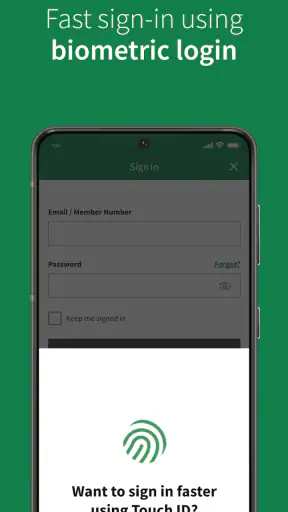
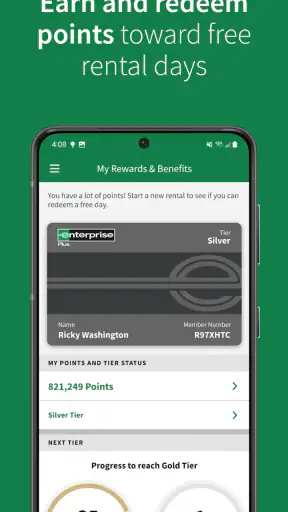
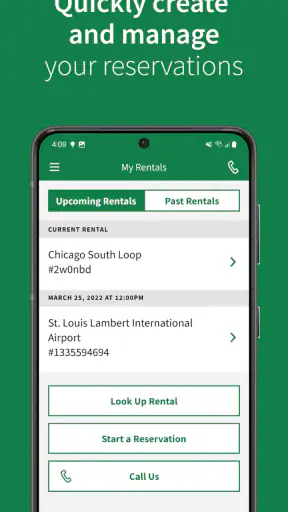
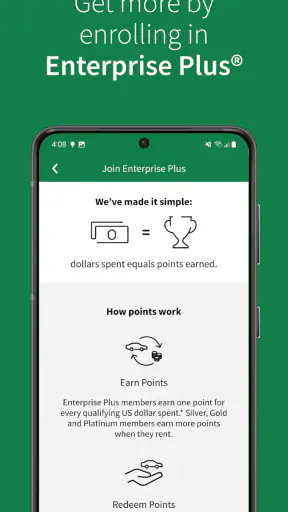
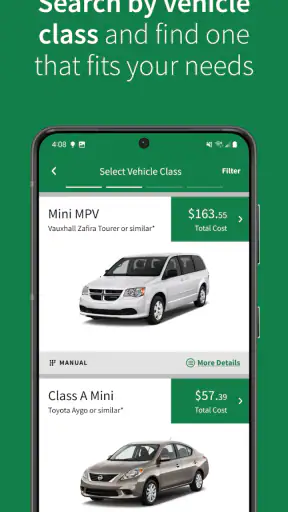
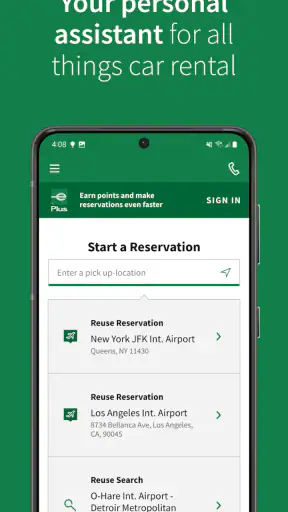
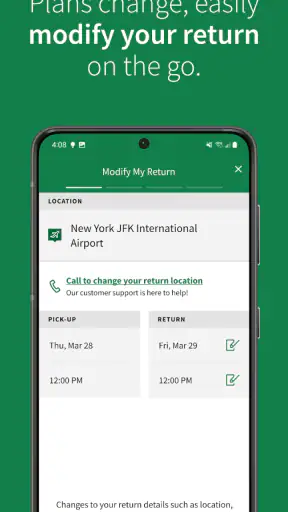
Renting a car is usually easy in theory and surprisingly awkward in practice. You compare locations, check availability, choose a vehicle, review the terms, and then hope the pickup process matches what you booked. I tested Enterprise Car Rental with that everyday problem in mind, and my overall impression is that it works best as a practical companion for people who already know where and when they need a car. It is not trying to replace every travel tool on your phone; it focuses on helping you arrange an Enterprise rental without making you begin the process at a desktop computer.
That focus makes sense for a Travel & Local app. Enterprise Car Rental is free, rated for Everyone, and developed by EAN Services, LLC. It has built a substantial user base, with more than five million installs, a 4.6 average from roughly fifty-two thousand ratings, and around nineteen thousand written reviews. Those figures suggest that the app is well established, but they do not remove the need to look closely at how it behaves in real travel situations. A smooth booking screen is useful; clear decisions about pickup location, timing, vehicle choice, and changes are what determine whether the app saves you trouble.
How the current Enterprise experience feels
The first thing I noticed is that the app is most useful when I approach it with a plan. If I know the city, approximate dates, and whether I need a car at an airport or a neighborhood branch, the search process feels purposeful. If I am merely browsing for the cheapest possible way to travel, it is less compelling because the app is centered on Enterprise’s own rental network rather than comparing every company in one place.
That distinction matters. A comparison marketplace is useful when price discovery is the main goal. Enterprise Car Rental is better when I have already decided that Enterprise is a suitable choice, or when a previous rental, employer arrangement, or travel plan has pointed me toward the company. In that situation, going directly through the company’s app can feel less cluttered than moving through several booking sites that add their own layers of offers and conditions.
The app’s central job is straightforward: help users rent a car at a large network of locations. The store summary describes access to over nine thousand five hundred locations, which gives the app a broad practical reach. For me, the important point is not simply the size of that network. It is the ability to search for a branch that fits the actual trip rather than assuming the airport counter is always the best option.
Choosing the right pickup point
One of my strongest recommendations is to check nearby neighborhood locations before settling on an airport pickup. Airport branches may be convenient when a flight lands directly beside the rental desk, but they are not automatically the easiest choice for every itinerary. A location closer to a hotel, train station, or meeting venue may reduce the amount of backtracking during a short trip. The app is useful here because it encourages me to think in terms of locations, not just destinations.
This is also where a small amount of preparation pays off. I would search the pickup area first, then compare the options that appear before entering too much booking information. That workflow helps avoid a common mistake: choosing a location because it sounds familiar, only to discover that it is inconvenient for the return journey. A car rental is a two-point problem. The first location gets you moving, but the return location determines how the final part of the trip feels.
For a weekend visit, I might choose a branch near where I am staying rather than one beside the airport. For a business trip with an early departure, I would reverse that decision and prioritize a return point that fits the flight schedule. The app cannot make that judgment for me, but it makes it easier to organize the decision around the trip instead of treating the rental counter as an isolated task.
What the booking flow does well
I like that the app keeps the main rental decision in one place. Instead of opening a general travel app for transport, a browser for the rental company, and a separate map for branch locations, I can start with Enterprise and work through the choices in a more direct sequence. That is especially helpful on a phone, where switching between several sites can make it easy to lose the dates or location I was comparing.
The app is also a sensible option for repeat renters. Once I understand how I want to search, I do not have to relearn an entirely different marketplace each time. A returning customer who usually rents for work, family visits, or local trips can develop a quick routine: check the branch, confirm the time window, review the vehicle choice, and keep the reservation details accessible for the travel day.
My practical tip is to slow down at the review stage rather than tapping through quickly. Confirm the pickup and return locations separately, especially if the trip involves more than one city. I would also check the timing against the actual itinerary, not merely the arrival and departure dates. A flight delay, hotel check-in, or late meeting can make an apparently convenient pickup time unrealistic.
A realistic travel-day example
Imagine I am flying to another city for a three-day work visit. I land in the afternoon, spend the first evening near the airport, and move to a downtown meeting the next morning. The obvious choice is to collect a car at the airport and keep it for the entire visit. Using the app, I would first compare that option with a pickup near the area where I will actually work. If I do not need the car on the first evening, collecting it later could make the plan simpler and avoid carrying the rental through a period when I am not using it.
On the return side, I would search for a location that fits the route to my flight rather than assuming the original pickup point must also be the return point. That is a useful way to think about the app: not as a button for “get a car,” but as a planning tool for matching the rental to the shape of the journey. The best result may be the one that reduces unnecessary driving before and after the rental itself.
Before leaving for the branch, I would keep the reservation information easy to reach and check the details once more. Mobile booking is convenient, but convenience can encourage rushed decisions. A few seconds spent verifying the branch and schedule is worth more than discovering the mistake after arriving with luggage or a tight appointment.
What has changed and what that means for users
The current version is 8.11.0.2566, and the app was released on October 2, 2015. That combination tells me I am looking at a mature product rather than a newly launched experiment. Over time, an app like this has to support people who want a fast repeat booking as well as people making their first rental. The version history itself is not a reason to assume every part of the experience is perfect, but it does indicate an ongoing product rather than a static brochure.
For existing users, the main benefit of a mature app is familiarity. A person who has used Enterprise before can return to the same mobile channel instead of starting from scratch with an unfamiliar service. That continuity is valuable when travel is already stressful. I prefer having one dependable place to review a rental plan over relying on an email search while standing in an airport queue.
At the same time, maturity can bring a trade-off. Established rental apps often need to cover many branches, vehicle situations, booking changes, and customer types. That breadth can make the experience feel more functional than elegant. I would not judge this app by the standards of a minimalist note-taking tool; its job involves real-world availability and location details, which naturally create more steps than a simple digital purchase.
The minimum operating system is version 10 or later. That is important before planning a trip around the app, particularly if I am using an older phone that has been kept for travel. I would install and open it before departure rather than waiting until I am at the airport. This is a simple precaution, but it separates a useful travel tool from a last-minute dependency.
Where the app is stronger than usual alternatives
Compared with calling a branch, the app gives me a more private and convenient way to organize the initial rental request. I can check options at a time that suits me and avoid explaining the same dates repeatedly. Compared with a general travel marketplace, it offers a direct path into Enterprise’s own rental process and location network. That can reduce the mental load when I have already chosen the company.
Compared with using a mobile browser, a dedicated app feels more natural for repeat use. A browser is perfectly adequate for a one-off search, especially if I am comparing several rental companies. The app becomes more attractive when I expect to check a reservation while moving through a trip. Its value is less about a dramatic feature and more about keeping the rental task close at hand.
There is also a useful trade-off between breadth and simplicity. A marketplace may show more brands and make price comparison easier, but it can introduce different rules, presentation styles, and booking conditions from one supplier to another. Enterprise Car Rental gives up that cross-brand comparison in exchange for a more focused experience. I see that as a strength for loyal Enterprise customers and a weakness for anyone who has not yet decided which company deserves the booking.
Small workflow improvements that make a difference
I would use the app in three deliberate passes. First, I would search broadly around the actual travel area, including branches that are not at the airport. Second, I would narrow the choice by matching pickup and return times to the itinerary rather than to the flight alone. Third, I would review the reservation as if I were already on travel day, checking whether the location and timing still make sense with luggage, meetings, hotel transfers, and the journey home.
Another useful habit is to avoid treating the first available option as the final answer. Availability is helpful, but the most convenient car is not always the one at the nearest-looking branch. A slightly different location may fit the route better, while a different pickup time may avoid a rushed transfer. The app supports the search, but the quality of the result depends on how thoughtfully I frame the search.
For family travel, I would decide the vehicle requirement before opening the app. A compact car may be sensible for city driving, while luggage, child equipment, or several passengers can change the calculation. The app can help with the rental choice, but it cannot know which compromises will make the trip comfortable. Making that decision first prevents me from choosing based only on what appears quickest to reserve.
For business use, I would treat the app as part of the itinerary rather than as a separate errand. I would select a branch that supports the meeting route, consider whether the car is needed for the entire stay, and review the return plan before the first day begins. That approach makes the app more valuable than simply opening it when I am already standing at baggage claim.
Where I still feel friction
The biggest limitation is the app’s narrow comparison scope. If my priority is finding the lowest overall rental cost across multiple companies, I would start with a comparison service and use Enterprise Car Rental only after deciding that Enterprise is competitive for my trip. Searching one provider is efficient when loyalty or preference is already settled, but it is not the best first move for a price-sensitive traveler with no brand preference.
There is also a planning burden that remains with the user. The app can present locations and rental choices, but it cannot fully resolve questions such as whether a neighborhood branch is easier than an airport counter, whether the return route works with public transport, or whether the car is worth keeping overnight. Those are not failures of the app so much as the unavoidable human part of renting a vehicle. Still, users expecting the app to design the entire trip may find it less comprehensive than a full travel planner.
I would also be cautious about relying on any rental app without checking the final details. A mobile interface can make a booking feel finished before I have considered the practical consequences of the location and schedule. The app is convenient, but convenience should not replace reading the reservation summary and aligning it with the rest of the journey.
People who rarely rent cars may prefer a browser or a travel marketplace if they want to compare several companies, understand the wider market, and make a single booking without committing to one provider early. Likewise, travelers whose plans change constantly may value a broader travel-management tool that combines flights, hotels, trains, and rental cars in one itinerary. Enterprise Car Rental is more focused than that, and its focus is both its identity and its boundary.
Who should use it and what to watch next
I would recommend the app to existing Enterprise customers, travelers who have selected Enterprise for a specific reason, and anyone who wants a direct mobile route to rental locations. It is particularly useful when I need to compare airport and neighborhood branches, manage a familiar rental workflow, or keep the booking close while traveling. The free price also makes it easy to try before committing to a particular booking method.
I would skip it as my first research tool if I am only hunting for the cheapest car across every available company. In that case, a marketplace gives me a wider starting point. I would also avoid making it my only travel app if the trip involves several transport types and I need one master itinerary. The right choice depends on whether the rental itself is the main task or just one small part of a complicated journey.
When future updates arrive, I would watch for improvements that reduce decision friction rather than simply adding more screens. Clearer location comparisons, smoother handling of changed plans, and better support for the moments between booking and pickup would have the greatest practical value. Those are the areas that determine whether the app remains useful after the initial reservation.
My final view is positive but specific: Enterprise Car Rental is a focused booking companion, not a universal travel planner. I like it most when I already want Enterprise and need a convenient way to organize the rental around real travel logistics. Its mature presence, broad location reach, and direct approach make it worth keeping on a compatible phone, while its single-provider focus means comparison shoppers should begin elsewhere. Used with a little planning, it can remove a meaningful amount of rental-car hassle without pretending to solve every part of the trip.


